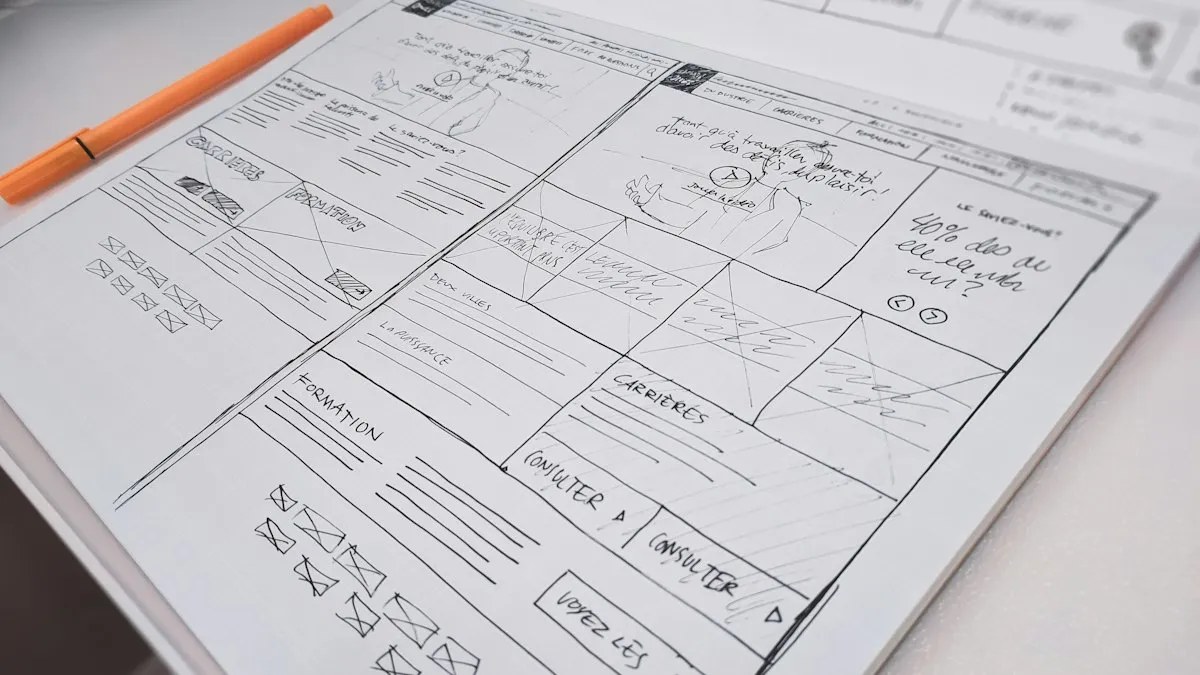
What Every Business Website Needs (and What Most Are Missing)
A practical checklist for small business owners: the pages, trust signals and technical basics that turn a website from an online brochure into a source of enquiries.
TrioTech Agency 3 min read

A website is often the first place a potential customer checks before they call you, message you or buy from you. If it is slow, unclear or out of date, many of them simply leave. The good news is that the things that make a website work are not complicated. They just need to be done on purpose.
Here is the checklist we use when we plan a website for a client.
1. A clear message on the first screen
Within a few seconds, a visitor should understand three things: who you are, what you offer, and what to do next. That means:
- A headline that describes what you do in plain words, not a slogan that needs explaining.
- One main button, such as “Get a quote”, “Shop now” or “Book a call”.
- A short line underneath that says who you help.
If someone has to scroll to find out what you sell, the first screen is not doing its job.
2. Proof that you can be trusted
People buy from businesses they trust. On a website, trust comes from evidence:
- Client logos or names of businesses you have worked with.
- Real reviews or testimonials, ideally with a name and business.
- Examples of your work, such as a portfolio, before-and-after photos or case studies.
- Real people: photos of the founders or team make a business feel approachable.
Never invent reviews or results. Visitors can usually tell, and it damages trust far more than having no reviews at all.
3. An easy way to get in touch
Every page should make the next step obvious. A good website has:
- A contact form that actually delivers messages to your inbox.
- A phone number and email address that can be tapped on a phone.
- A WhatsApp button, if that is how your customers prefer to talk.
Test your contact form yourself. A form that silently fails is one of the most common and most expensive website problems.
4. A mobile-friendly, fast design
Most visitors will see your website on a phone. Check that text is readable without zooming, buttons are easy to tap, and nothing slides off the side of the screen.
Speed matters too. Large, uncompressed images are the usual cause of slow pages. Resize photos before you upload them and use modern formats like WebP.
5. The basics of SEO
Search engine optimisation starts with simple foundations:
- A unique title and description for every page.
- One clear main heading per page.
- Descriptive text for images (alt text).
- A sitemap submitted to Google Search Console.
- A Google Business Profile if you serve customers locally.
After that, helpful content, such as articles that answer your customers’ questions, is what brings steady search traffic over time.
6. Measurement
If you do not measure, you cannot improve. Install Google Analytics to see where visitors come from and which pages they read. If you run Facebook or Instagram ads, add the Meta Pixel so you can see which ads lead to enquiries or sales.
7. The small things that matter
- A privacy policy that explains how you handle form submissions.
- Up-to-date contact details and social media links.
- A frequently asked questions section that answers common doubts before a customer has to ask.
Where to start
You do not need to do everything at once. Start with a clear first screen, a working contact form and a few genuine trust signals. Then add content and measurement step by step.
If you would like a second opinion on your current website, get in touch and we will share what we would improve first.